Change management is not a separate project – it is part of every delivery
Microsoft 365 solutions are not just technology projects. Every implementation changes the way work is done, the structures of collaboration and the management of information.
Many Microsoft 365 projects focus on implementation, even though the real change happens afterwards. Without planned change management, the new environment can easily remain underutilized.
We help ensure that change takes hold in everyday work. Change management is part of the delivery, with new ways of working built alongside the technical solution.
Implementation alone does not change the way work gets done
Organizations invest in Microsoft 365 solutions because they enable more efficient collaboration, better information management, and better visibility into how work is done. However, the benefits do not automatically arise with implementation.
Without jointly agreed ways of working, solutions are implemented, but the way work gets done does not change.
The role of change management is to ensure that the organization moves to a new way of working – not just a new system.
Change is built during the delivery
Change management is often delivered as a separate workstream after implementation. In that case, changes to ways of working can easily remain disconnected from the solution. In Solu Digital deliveries, change is built in during the implementation phase, so that technology and everyday practices develop at the same time.
Change management is not a separate entity in all projects, but its importance is emphasized especially when the goal is to develop collaboration, clarify work, or widely deploy a solution. In this case, user involvement, defining common practices, and supporting daily work play a key role.
When change management is involved in the delivery, the end result is not just a deployed solution, but a clear and consistent way of working that supports business goals.
Ways of working are built together
Change management becomes concrete through practical work, where the current state, goals and everyday practices are brought together as part of the delivery.
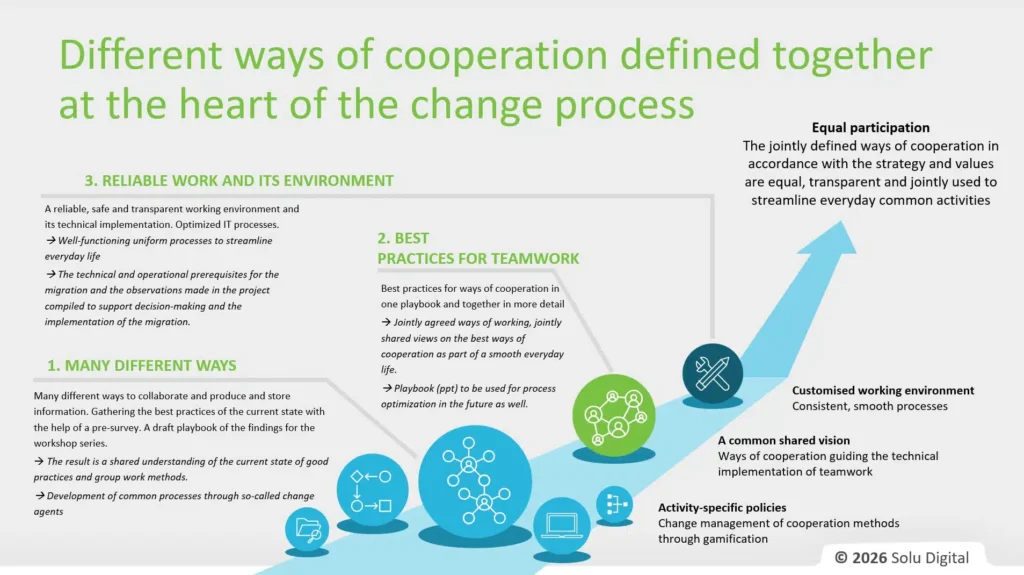
Development work begins with a survey of the current state. The organization’s ways of working, practices and pain points are identified, for example, through preliminary surveys and interviews. At the same time, existing practices are identified that can be built on.
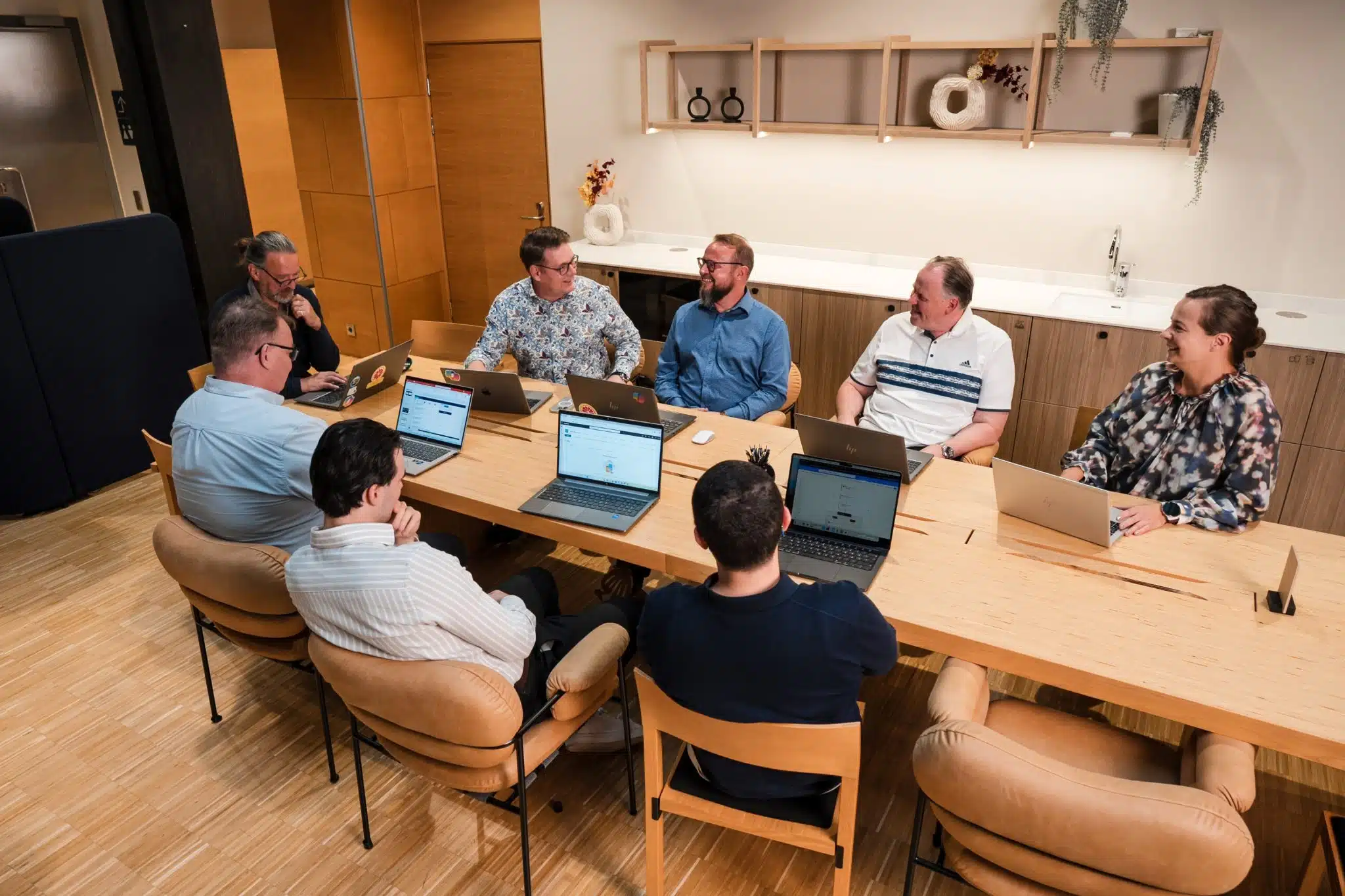
A shared way of working is defined through workshops. Representatives from different teams and units are involved, which helps ensure that the ways of working are realistic and that the organization commits to them broadly. The goal is to create clear, consistent practices that support everyday work in the Microsoft 365 environment.
Solutions are often implemented in a pilot phase with a limited group of users. The pilot enables testing of ways of working, collecting feedback and making necessary refinements before wider implementation.
Aligning technology and practices ensures that the environment supports the agreed way of working. Solutions are built to meet everyday needs, not just technical requirements.
Rollout and continuous development ensure that change does not remain confined to the project phase. Ways of working continue to evolve based on real usage even after implementation.
The key outcome is a playbook that compiles agreed practices, roles and ways of working and supports day-to-day work.
Concrete results delivered during the project
Change management produces clear results that the organization can use even after the project.
The delivery includes an analysis of the current state, facilitation of workshops, and the definition of a shared way of working. The key result is a playbook that compiles agreed practices and serves as a continuous guideline.
In addition, key people in the organization who support the rollout of change in daily work are identified and involved. The delivery also includes recommendations on the structures and practices of the Microsoft 365 environment.
Benefits are visible in everyday work
Change management helps ensure that real benefits are derived from your Microsoft 365 investment.
Management gains better visibility into how the change is progressing when goals, agreed-upon practices, and the status of the implementation are reviewed during the project. Decision-making is based on an up-to-date picture of the situation.
The business benefits when ways of working are agreed together and embedded in everyday work. Ambiguities are reduced and collaboration flows smoothly across team boundaries.
IT gains a more controlled implementation when users have a clear understanding of how solutions are used and for what purpose. There are fewer support requests and the implementation progresses more smoothly.
Change management determines project success
Change management is particularly linked to the development and implementation of Microsoft 365 environments, where ways of working change at the same time as the technology. Implementation alone is not enough. If ways of working remain undefined or vary between teams, the solution will not deliver its intended value.
Typical situations include Microsoft 365 implementations, clarifying Teams and SharePoint structures, and implementing Solu 365 solutions. In addition, the service supports the development of project models and ways of working, so that work is consistent and runs smoothly without unnecessary complexity or ambiguity.
Change management can also be used in the implementation of other solutions when the implementation affects collaboration, information management, or work organization.
Change is built alongside the solution
Change management often remains at the planning level if it is separated from the actual implementation. In our deliveries, change is built into the work itself, so that a new way of working takes shape alongside the solution.
Solutions are designed to support daily work, not just the system.

Ensure successful change
A successful Microsoft 365 project does not end with implementation. Value is only created when the new way of working becomes embedded in the organization’s everyday work.
Book a meeting to assess where change should be built into your next Microsoft 365 project.
Check out our customer stories:
- Espoo Catering & Solu Digital: Stronger financial management with Microsoft solutions
- Pesmel & Solu Digital: Boosting project management with Microsoft and Solu 365 tools
- Stark & Solu Digital: Transparency in project management with a tailored solution
- Junakalusto Oy & Solu Digital: More efficient use of resources with Microsoft tools
- Boliden Kokkola & Solu Digital: Investment portfolio management tool to improve operations
- Sako Oy & Solu Digital: Clarity for projects with a Microsoft tool
- Technology Industries of Finland & Solu Digital: Viva Goals to support the OKR model
- NRC Group & Solu Digital: Boosting project work with the Solu 365 automation tool
- Keskisuomalainen & Solu Digital: Location independent working with Microsoft 365 solutions using agile development
- SSAB & Solu Digital: Easy-to-use project management and time recording solution
- Business Finland & Solu Digital: Securing correctly executed procurements and monitoring of expenses with a procurement portfolio working on the Microsoft 365 platform
- The city of Turku & Solu Digital: Project work independent of location and device with the help of automation
- Transmeri & Solu Digital: Seamless support for employees’ everyday work with Sharepoint Online and Power Platform
- Panostaja & Solu Digital: Solu 365® for Microsoft Teams provides a swift communications platform and document management
- Scania & Solu Digital: Efficiency for operations with easy-to-use solutions of Microsoft SharePoint, Power BI, Power Apps, Teams, and Solu 365®
- Trade Union Pro & Solu Digital: Solu 365® streamlines teamwork by enhancing communication and document management
- HSL & Solu Digital: Tools for transparent project culture and methodology
- HSY & Solu Digital: Managing projects and contracts using Investment Window
Read more in our expert articles:
- Using Microsoft Teams effectively: 5 tips articles
- Boost contract management with Microsoft 365
- Procurement portfolio keeps procurements under control
- Provisioning and migration together
- Automate project management with the Solu 365® tool
- Intranet enhances communication and collaboration
- Power BI tool makes data analysis and visual reporting more efficient
- Replacing Valo and Fresh Intranet with SharePoint Intranet
- Microsoft Power Platform: a powerful tool for business digitalization
- Could replacing M-Files with Microsoft 365 bring cost savings?
- Microsoft Project Online is ending – what’s next?
- Roadmap to utilizing artificial intelligence
- Power Platform governance model supports secure and efficient development
- Project management with Microsoft tools brings efficiency and transparency
- Artificial intelligence agents supporting business processes
- AI agents in process control and deviation management
- Implementation and further development of AI agents in processes
- Copilot in Outlook – 5 tips to use AI more effectively
- Work efficiently in a hybrid environment
- Solu 365 Templates brings centralized management of document templates to the Microsoft 365 environment
- AI agents fail for the wrong reason
- 5 tips for using Copilot in PowerPoint
- AI and voice control in field work
- All Solu Digital expert articles
Interested in support and maintenance services?
Please contact Marko.
Marko Koskela
Chief Commercial Officer, Partner
+358 50 518 4758
marko.koskela@soludigital.fi
Subscribe to our newsletter
Subscribe to our newsletter digested from our experts' articles.